Table of Contents generated with DocToc
1.0 日志
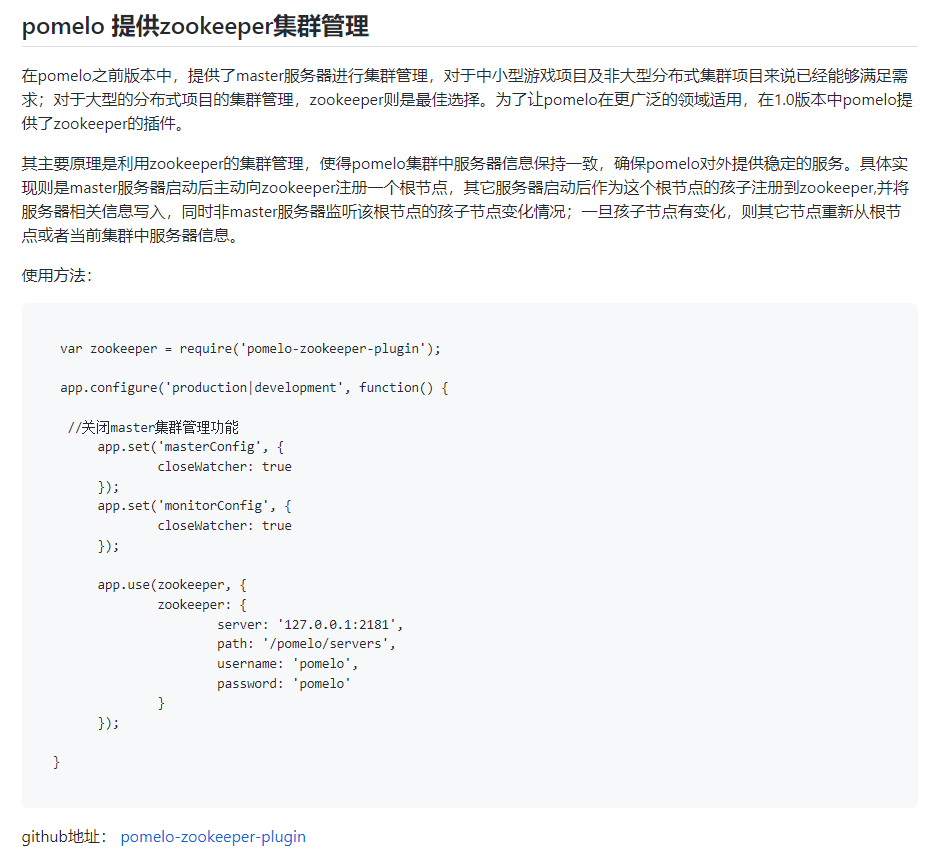
zookeeper集群管理
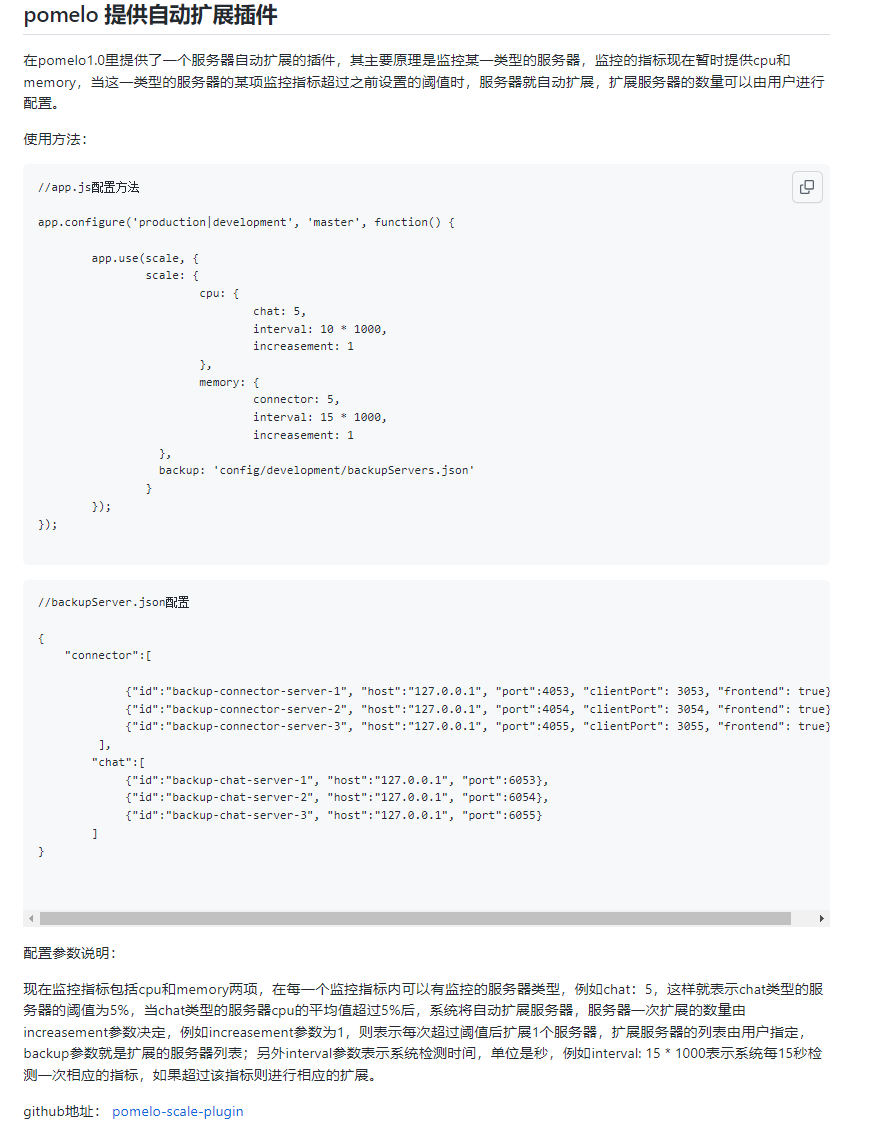
自动扩展插件
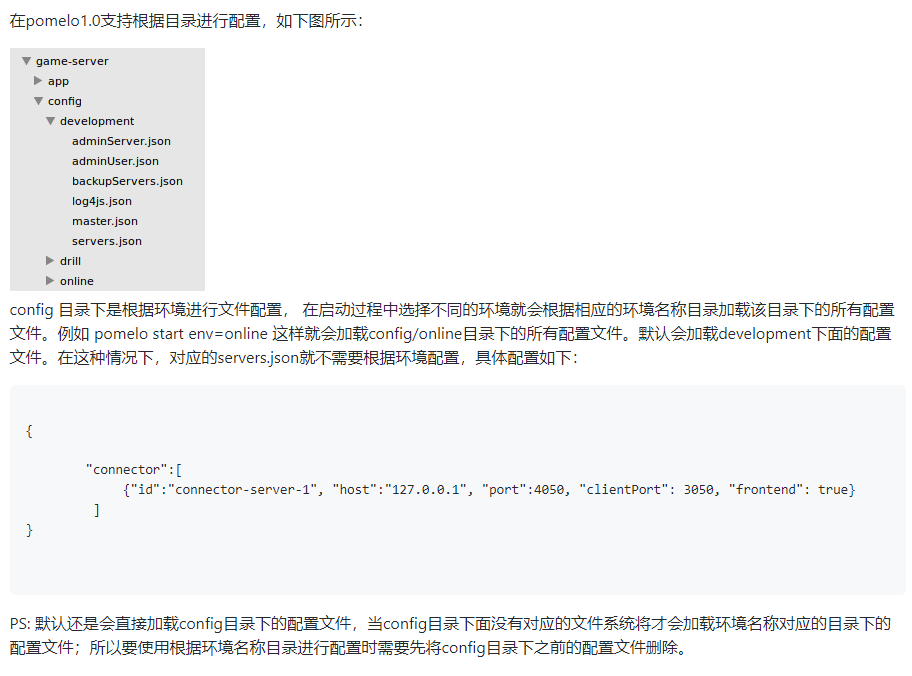
根据环境目录加载配置
默认先加载config根目录下的配置,当config目录下没有对应的文件时才会加载环境名称对应的目录下的配置。
客户端程序支持输入脚本命令
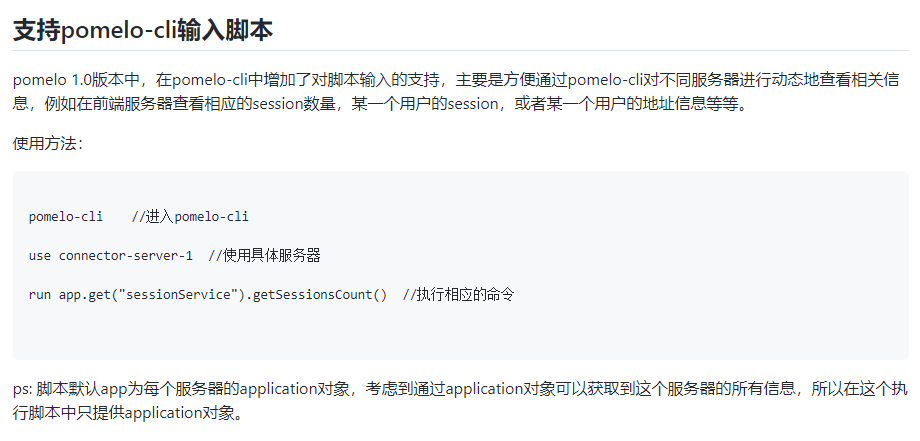
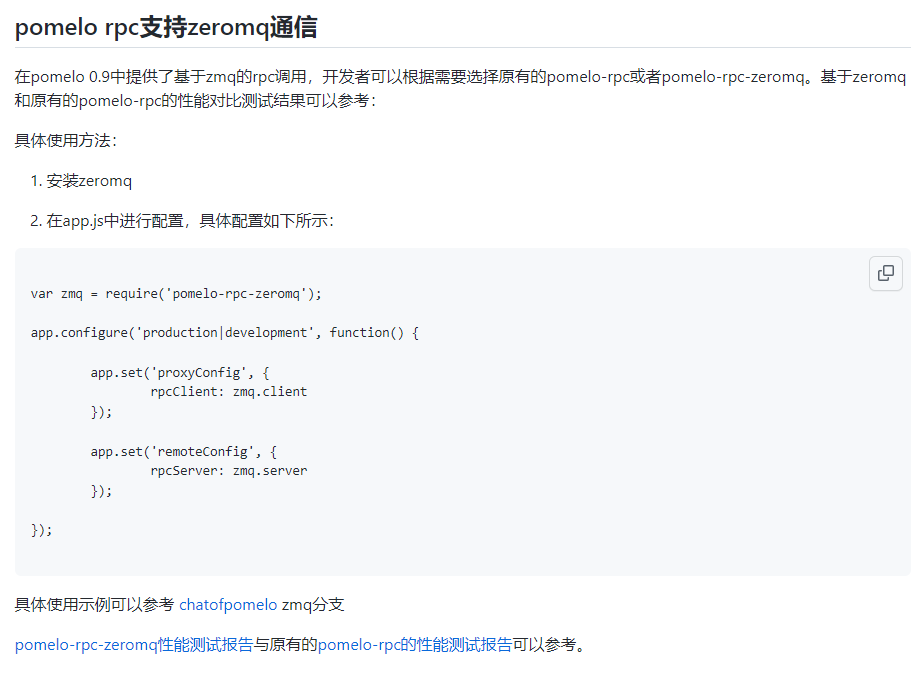
0.9 日志
rpc支持zeromq通信
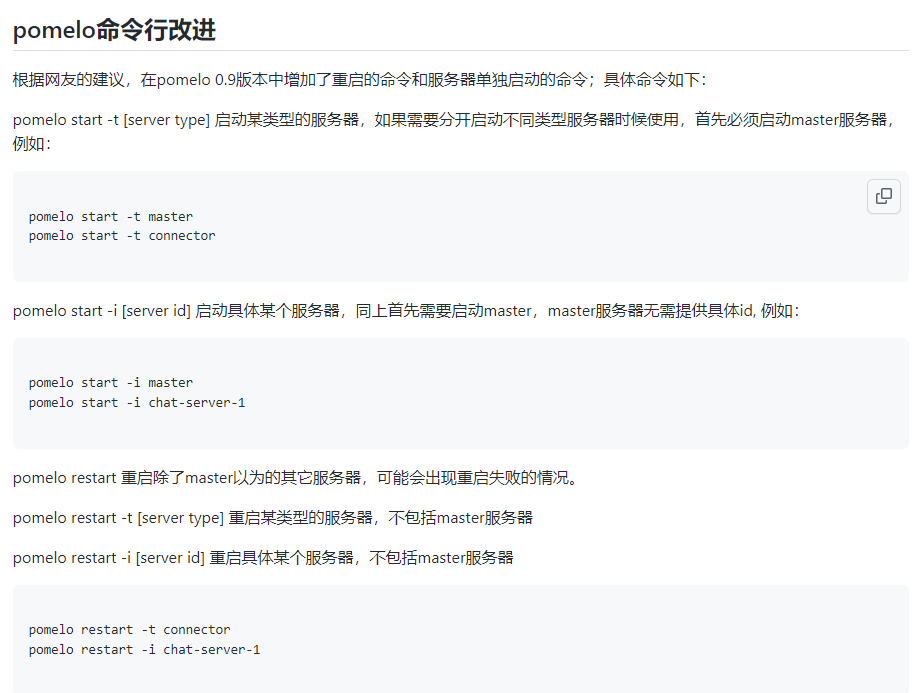
客户端程序支持启动/重启指定服务器
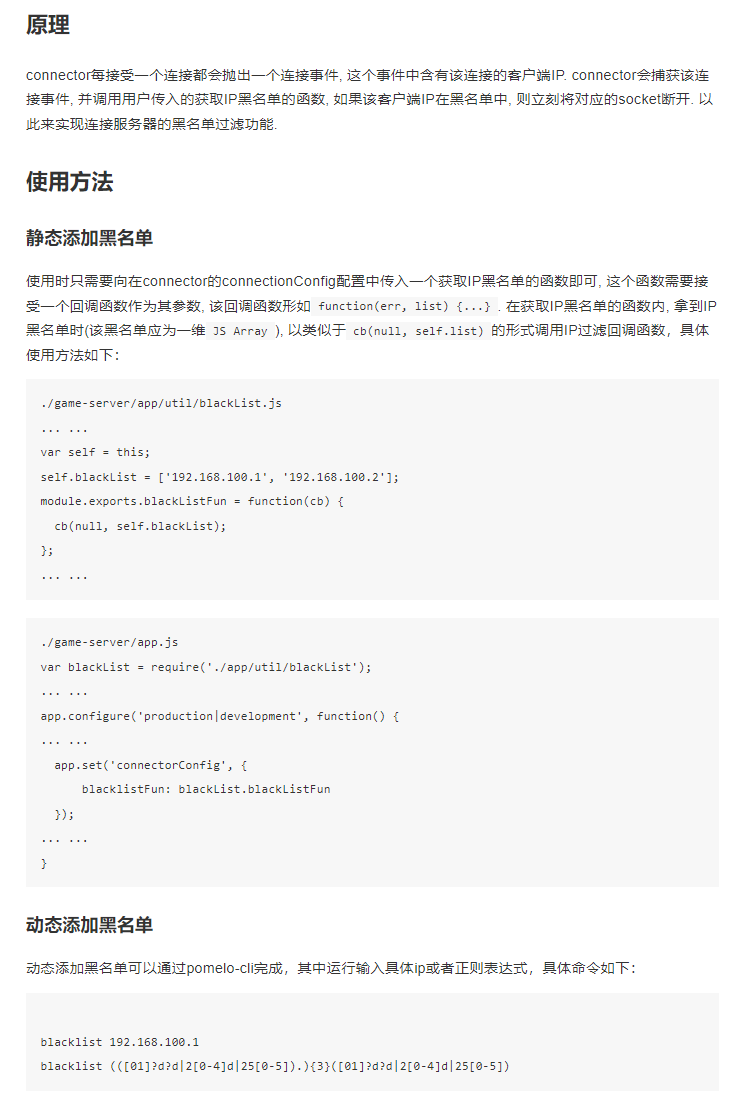
支持连接黑名单机制
支持protobuf原生的proto协议格式
pomelo中使用步骤:
定义proto协议
用protobuf.js包自带命令将proto转js
加载js使用(protobuf.js本来是可以直接加载proto不需要转的,这里之所以转成js使用是考虑和pomelo原有的格式保持一致)
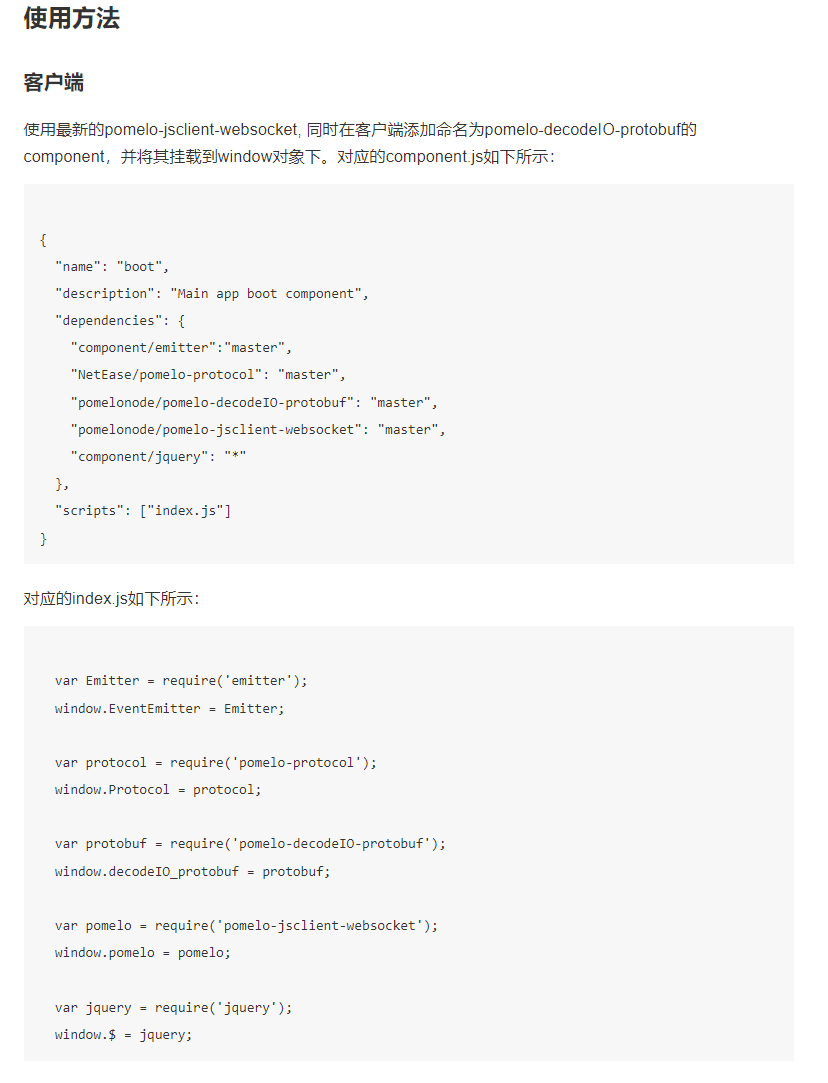
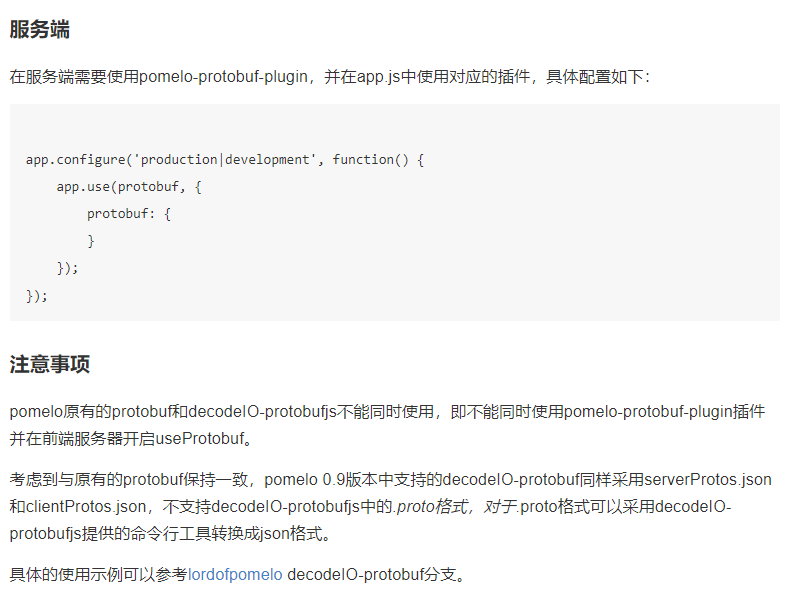
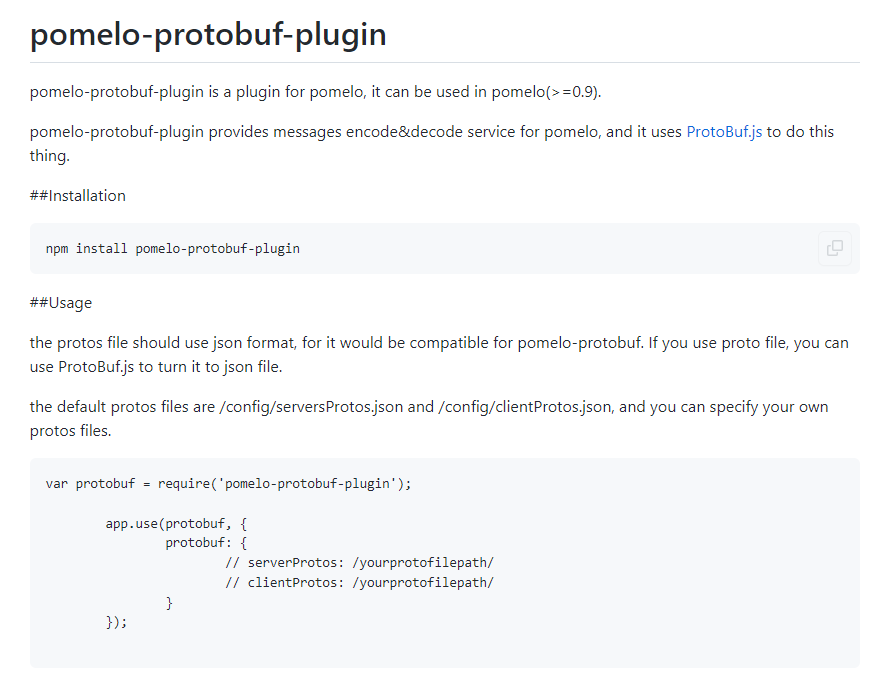
websocket支持自动重连
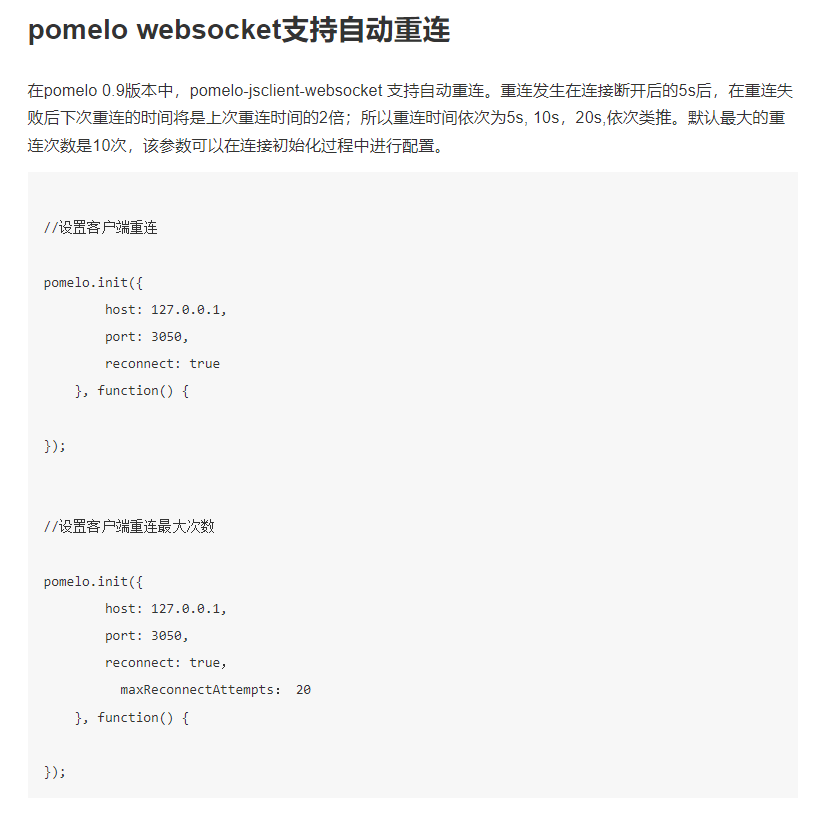
0.8 日志
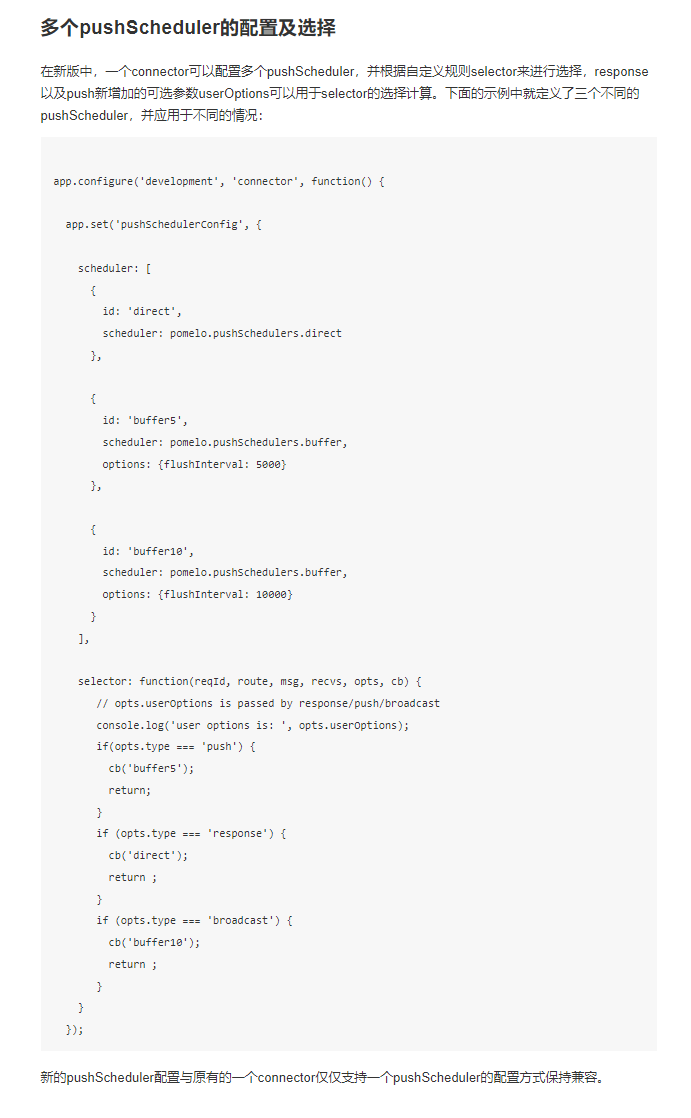
多个pushScheduler的配置及选择
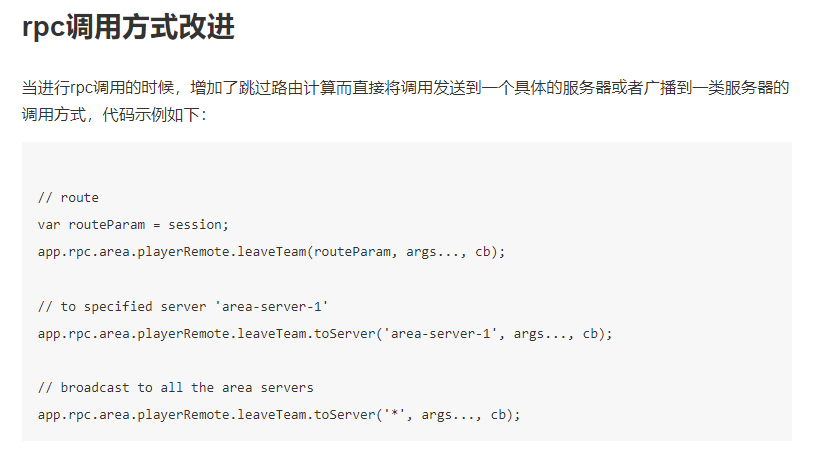
rpc调用支持指定某台/某类服务器
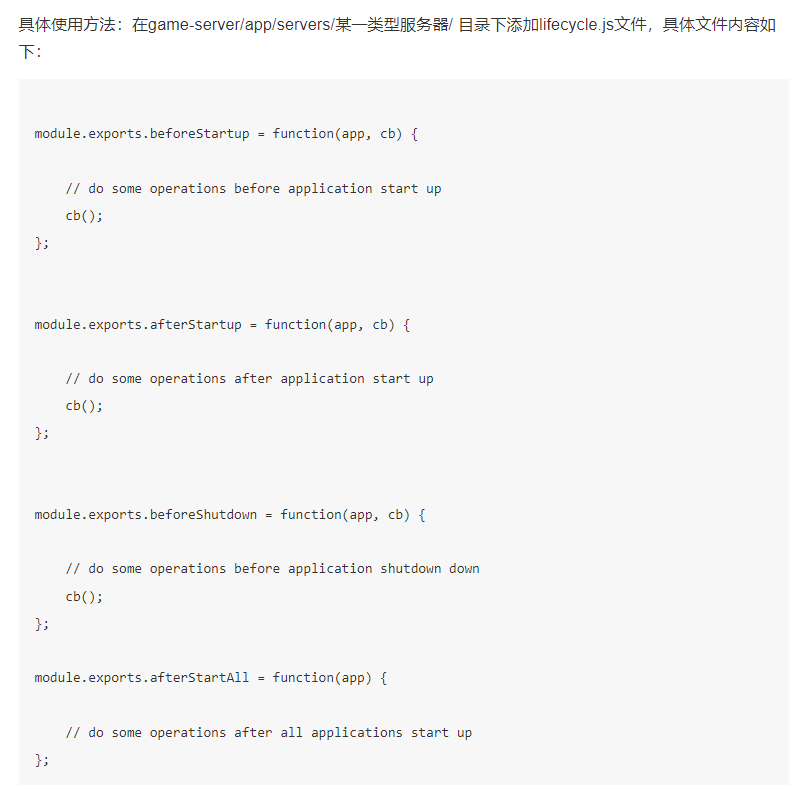
添加服务器生命周期回调
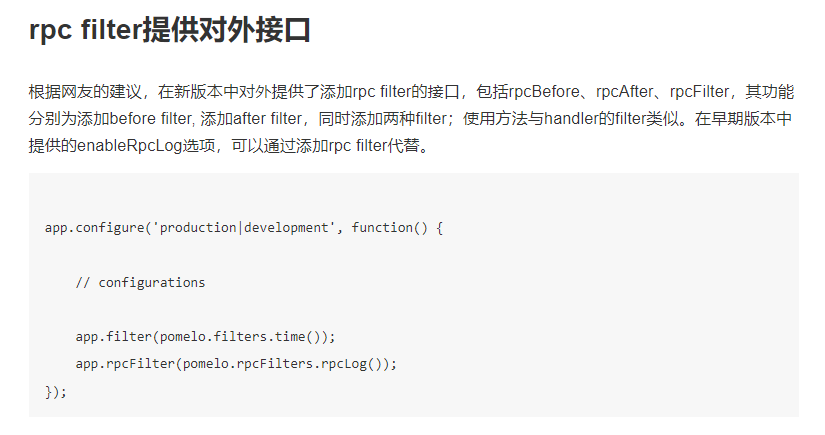
rpc也支持filter, 使用和handler的filter类似
servers.json配置新增集群简化配置
在0.8版的pomelo中对配置文件servers.json进行了精简,通过增加clusterCount字段将原有的配置进行了简化,这样将更加适合大规模应用的部署和运维管理。
原有的配置:
1
2
3
4
5
6
7
8
9
10
11
12
13
| "connector":[
{"id":"connector-server-1", "host":"127.0.0.1", "port":4050, "clientPort": 3050, "frontend": true},
{"id":"connector-server-2", "host":"127.0.0.1", "port":4051, "clientPort": 3051, "frontend": true},
{"id":"connector-server-3", "host":"127.0.0.1", "port":4052, "clientPort": 3052, "frontend": true}
],
"chat":[
{"id":"chat-server-1", "host":"127.0.0.1", "port":6050},
{"id":"chat-server-2", "host":"127.0.0.1", "port":6051},
{"id":"chat-server-3", "host":"127.0.0.1", "port":6052}
],
"gate":[
{"id": "gate-server-1", "host": "127.0.0.1", "clientPort": 3014, "frontend": true}
]
|
0.8版本pomelo支持的简化配置:
1
2
3
4
5
6
7
8
9
| "connector":[
{"host":"127.0.0.1", "port":"4050++", "clientPort": "3050++", "frontend": true, "clusterCount": 3}
],
"chat":[
{"host":"127.0.0.1", "port":"6050++", "clusterCount": 3}
],
"gate":[
{"host": "127.0.0.1", "clientPort": 3014, "frontend": true, "clusterCount": 1}
]
|
同时在采用pomelo-cli进行动态增加服务器的时候,同样可以使用add host=127.0.0.1 port=9000++ serverType=chat clusterCount=3 这样的形式同时增加多台服务器。
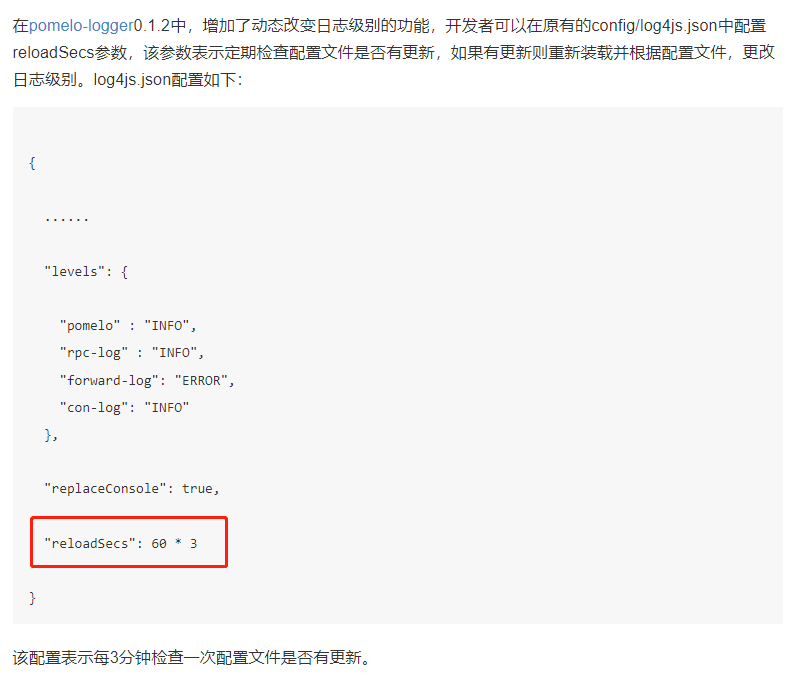
pomelo-logger支持动态日志级别
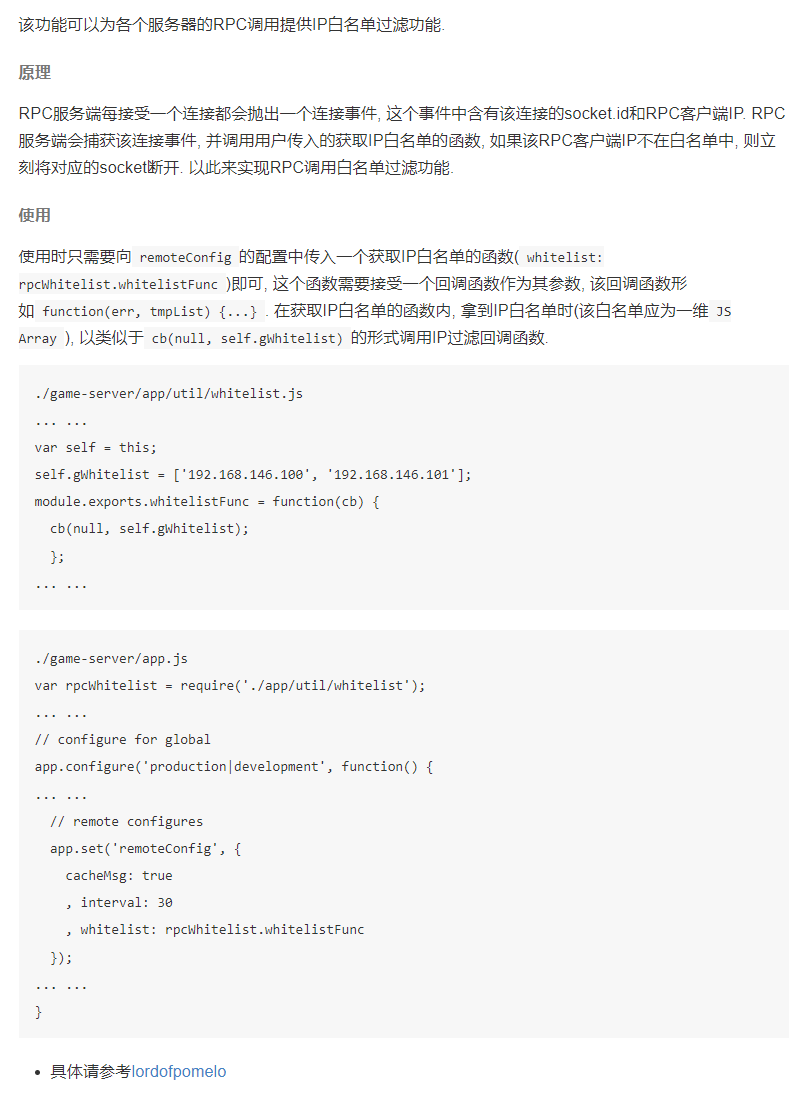
RPC调用的IP白名单
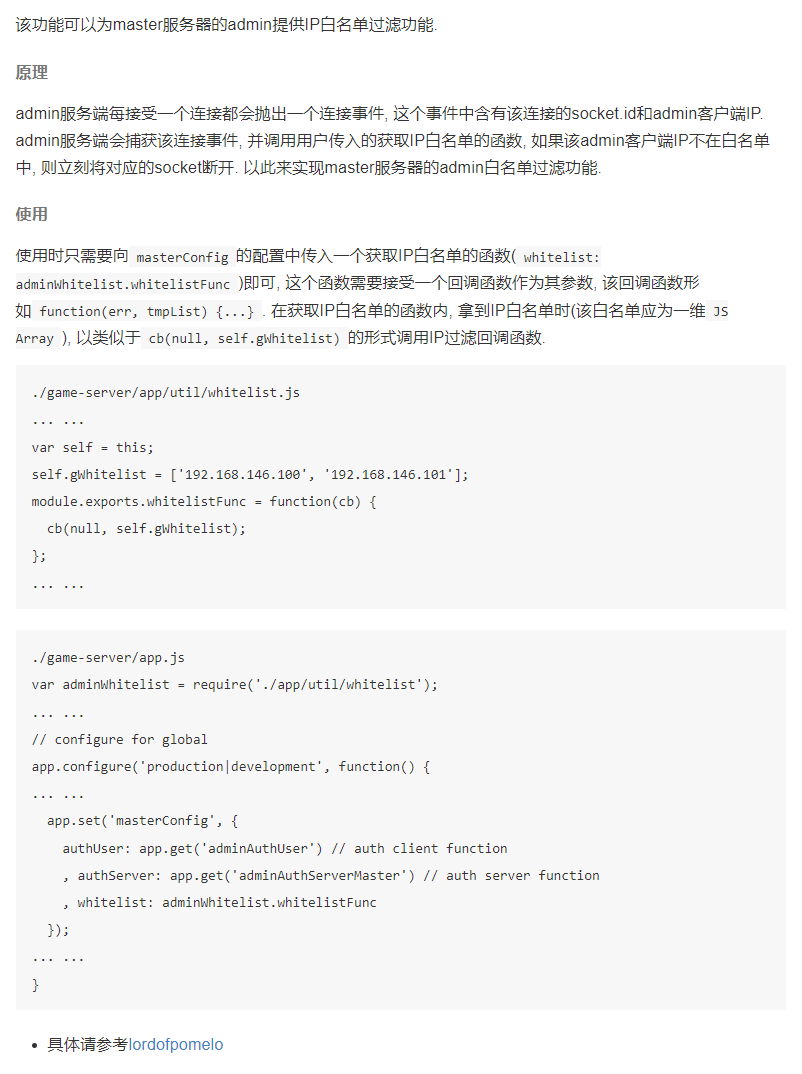
pomelo-admin的IP白名单
0.7日志
定时任务
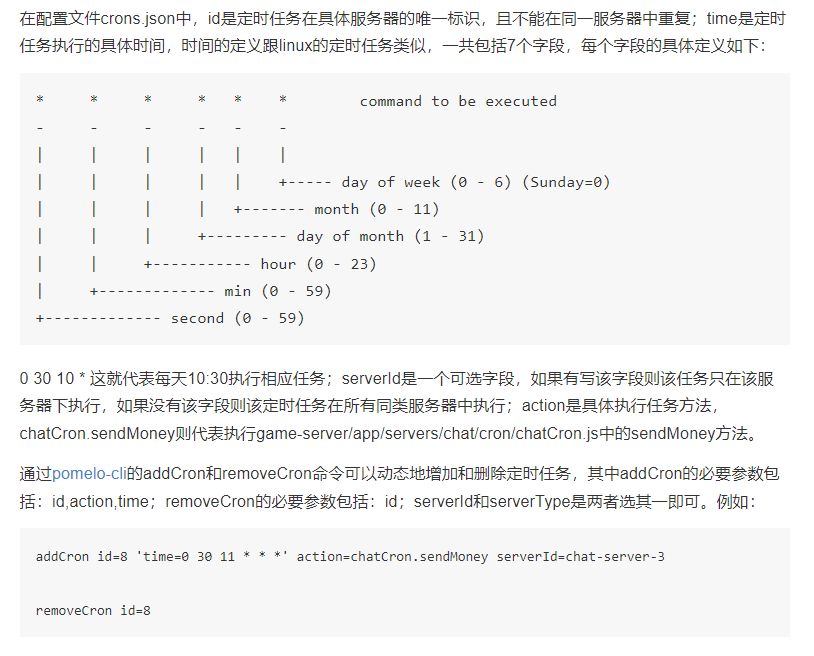
用户能够通过配置文件或者pomelo-cli的命令addCron和removeCron对定时任务进行动态调度。 定时任务是针对具体服务器而言,例如需要在chat服务器中配置定时任务:
首先在game-server/app/servers/chat目录下增加cron目录,在game-server/app/servers/chat/cron目录下编写具体的执行的任务的代码chatCron.js,例如:
1
2
3
4
5
6
7
8
9
10
11
| module.exports = function(app) {
return new Cron(app);
};
var Cron = function(app) {
this.app = app;
};
var cron = Cron.prototype;
cron.sendMoney = function() {
console.log('%s server is sending money now!', this.app.serverId);
};
|
然后在game-server/config/目录下增加定时任务配置文件crons.json,具体配置文件如下所示:
1
2
3
4
5
6
7
8
9
10
11
12
13
14
| {
"development":{
"chat":[
{"id":1, "time": "0 30 10 * * *", "action": "chatCron.sendMoney"},
{"id":2, "serverId":"chat-server-1", "time": "0 30 10 * * *", "action": "chatCron.sendMoney"}
]
},
"production":{
"chat":[
{"id":1, "time": "0 30 10 * * *", "action": "chatCron.sendMoney"},
{"id":2, "serverId":"chat-server-1", "time": "0 30 10 * * *", "action": "chatCron.sendMoney"}
]
}
}
|
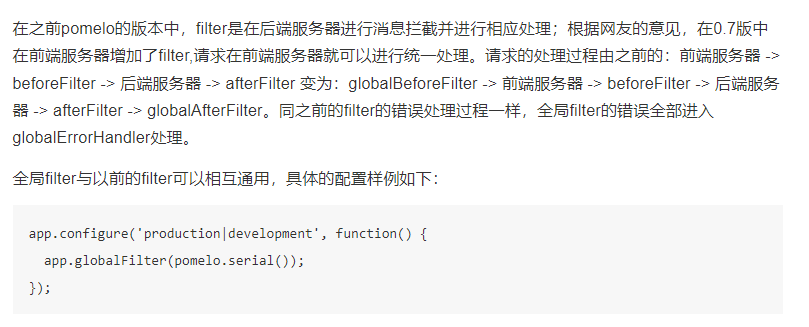
新增全局filter
0.6日志
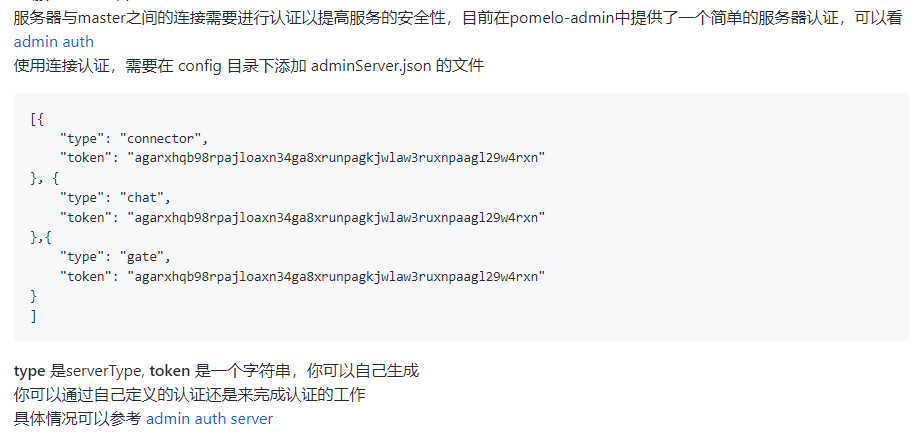
服务器与master之间的连接添加认证
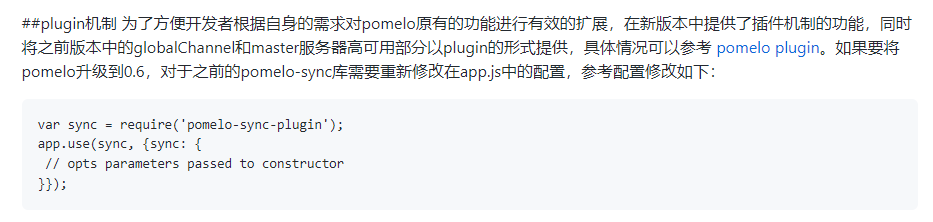
plugin插件机制
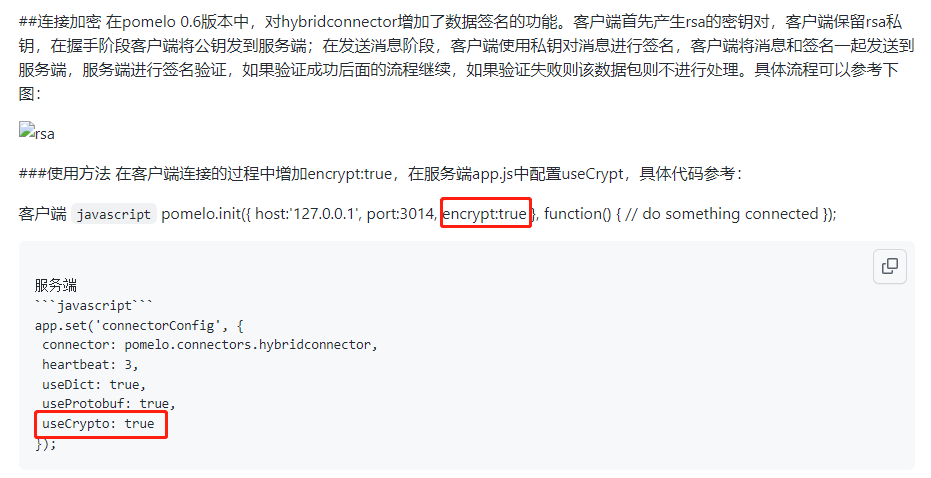
连接加密
过载保护
在pomelo之前的版本中有toobusy模块对服务器进行过载保护,在新版本中增加了一个对connector连接数的限制功能,开发者只需要在servers.json中对不同的connector进行最大连接数量的配置,当connector超过配置的最大数量,服务器会拒绝连接。配置可以参考如下代码:
1
| {"id":"connector-server-1", "host":"127.0.0.1", "port":4050, "clientPort":3050, "frontend":true, "max-connections": 100}
|
0.5日志
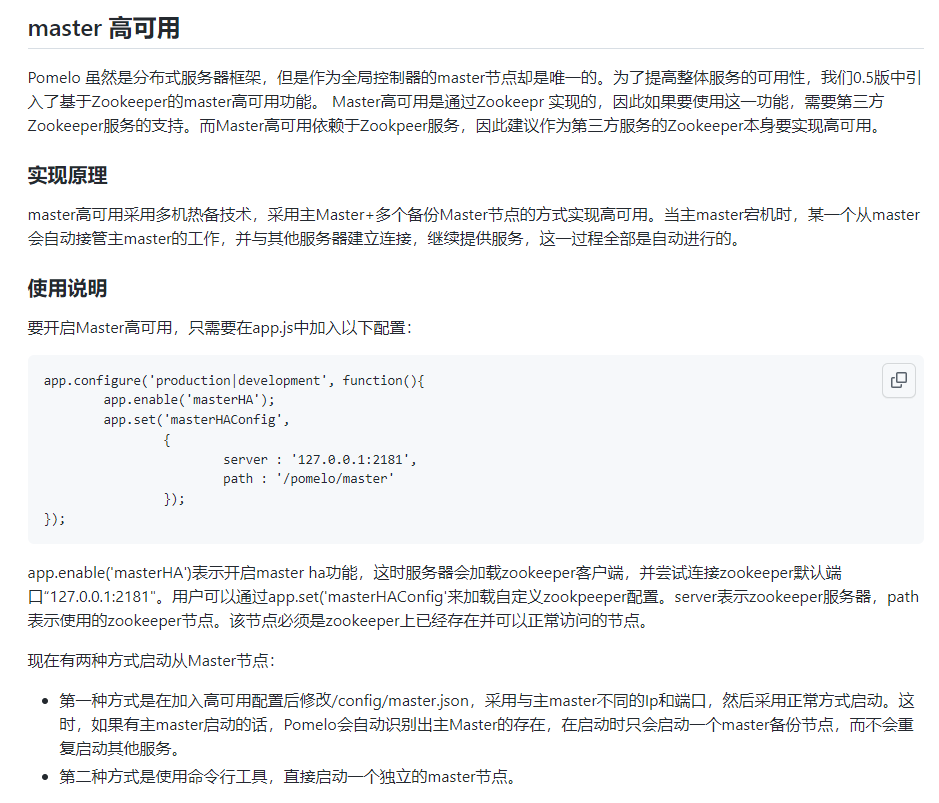
master多机热备技术
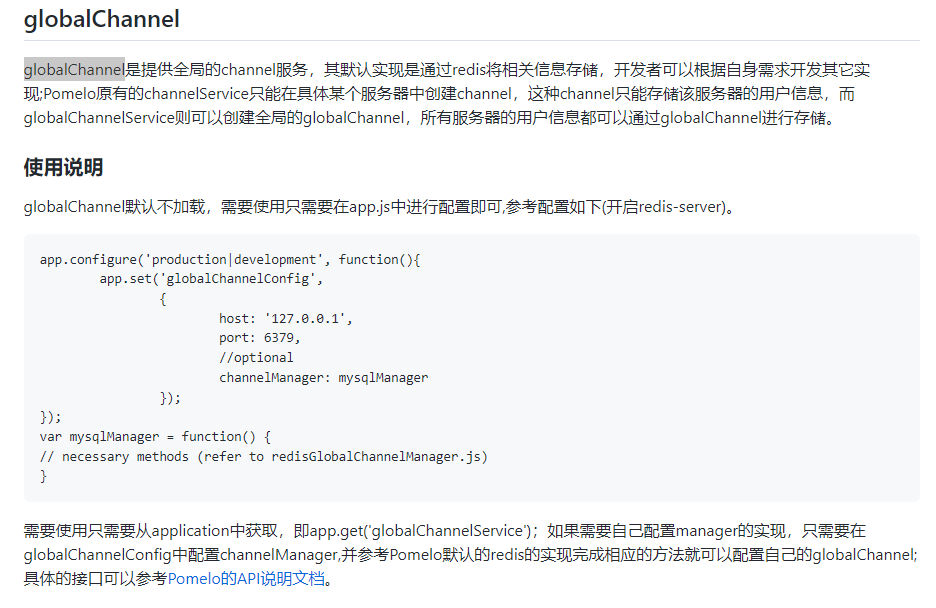
分布式全局globalChannel
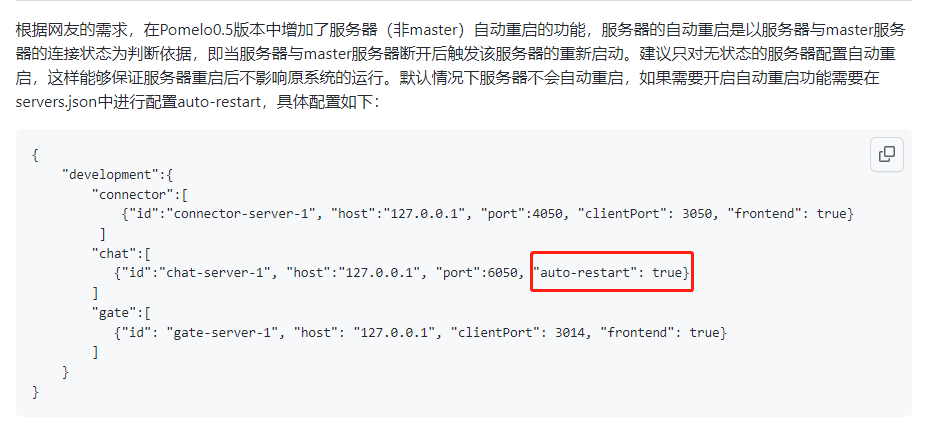
服务器自动重启
服务器绑定指定CPU
为了更加充分的利用服务器的CPU,Pomelo在0.5版本中增加了服务器进程与指定CPU进行绑定,该功能限于linux系统的多核服务器,如果需要将服务器与具体CPU进行绑定,只需要在servers.json中进行配置,具体配置如下:
1
2
3
4
5
6
7
8
9
10
11
12
13
| {
"development":{
"connector":[
{"id":"connector-server-1", "host":"127.0.0.1", "port":4050, "clientPort": 3050, "frontend": true, "cpu": 2}
]
"chat":[
{"id":"chat-server-1", "host":"127.0.0.1", "port":6050, "cpu": 1}
]
"gate":[
{"id": "gate-server-1", "host": "127.0.0.1", "clientPort": 3014, "frontend": true, "cpu": 3}
]
}
}
|
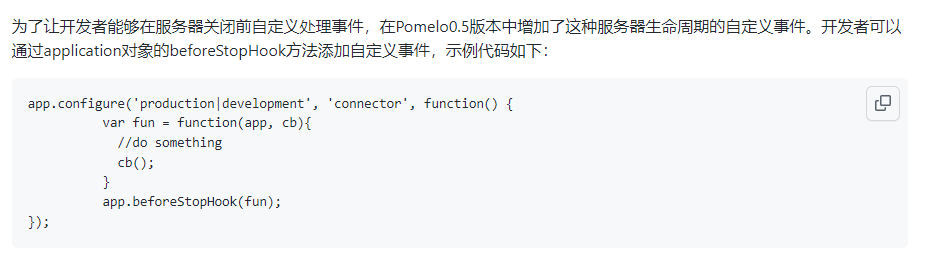
添加服务器关闭前事件
0.4日志
协议的编解码方式支持可配
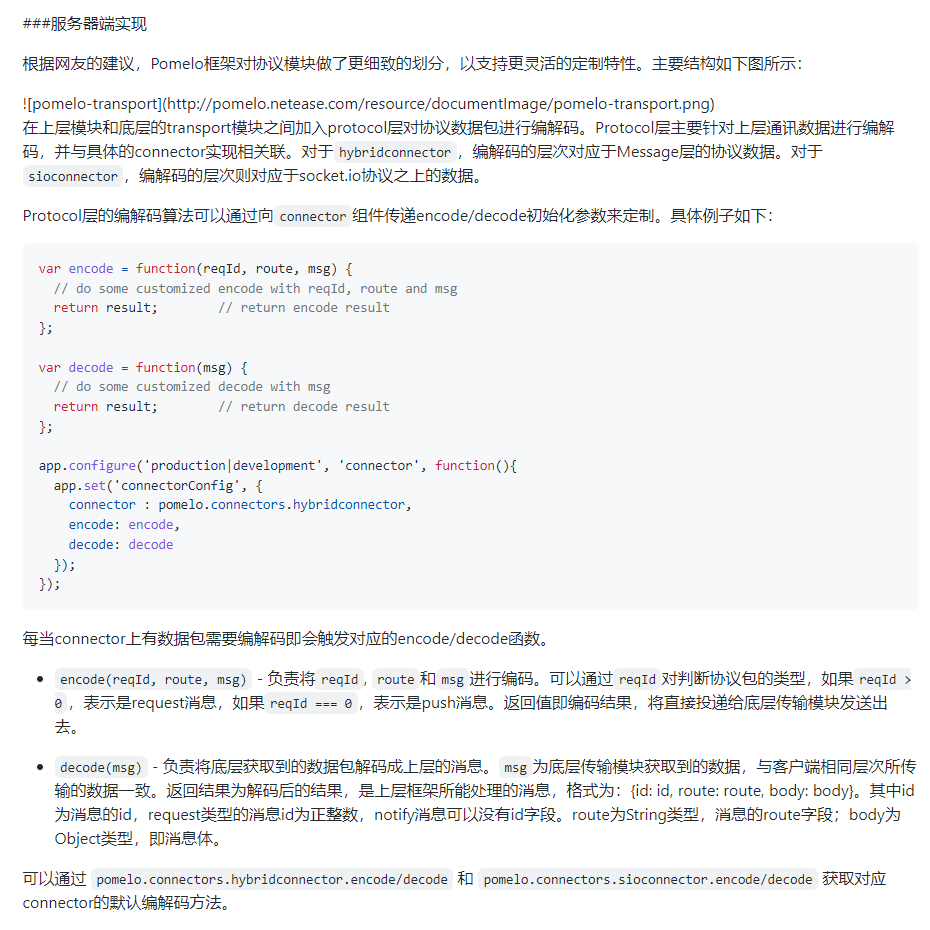
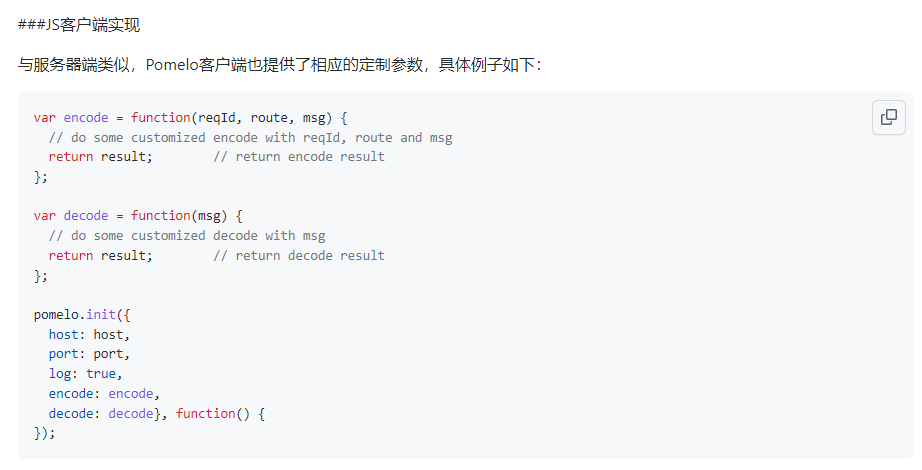
支持同一账号多处登录
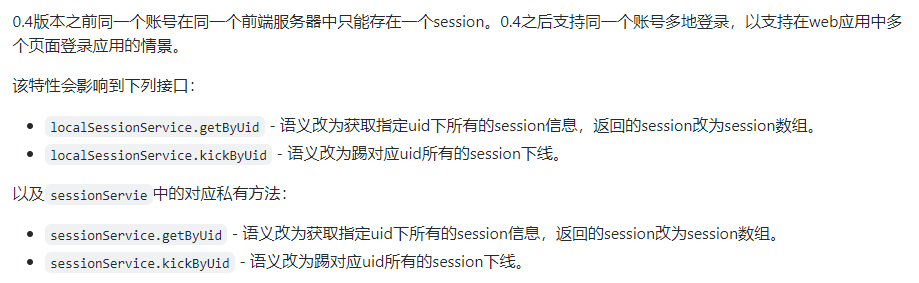
目前默认会挤号,应该是自己添加的逻辑。
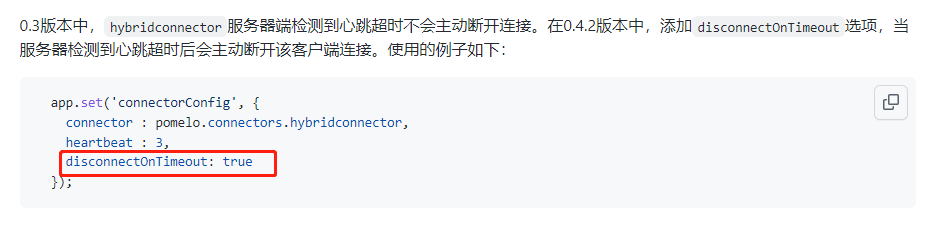
服务端检测心跳超时可配置是否断开连接